

The Dashboard home page gives you an at-a-glance view of your organisation's compliance posture. It brings together data from your documents, sites, suppliers, and team activity into a set of interactive widgets. This guide explains what each section shows and how to use it to stay on top of your compliance.
The Dashboard overview
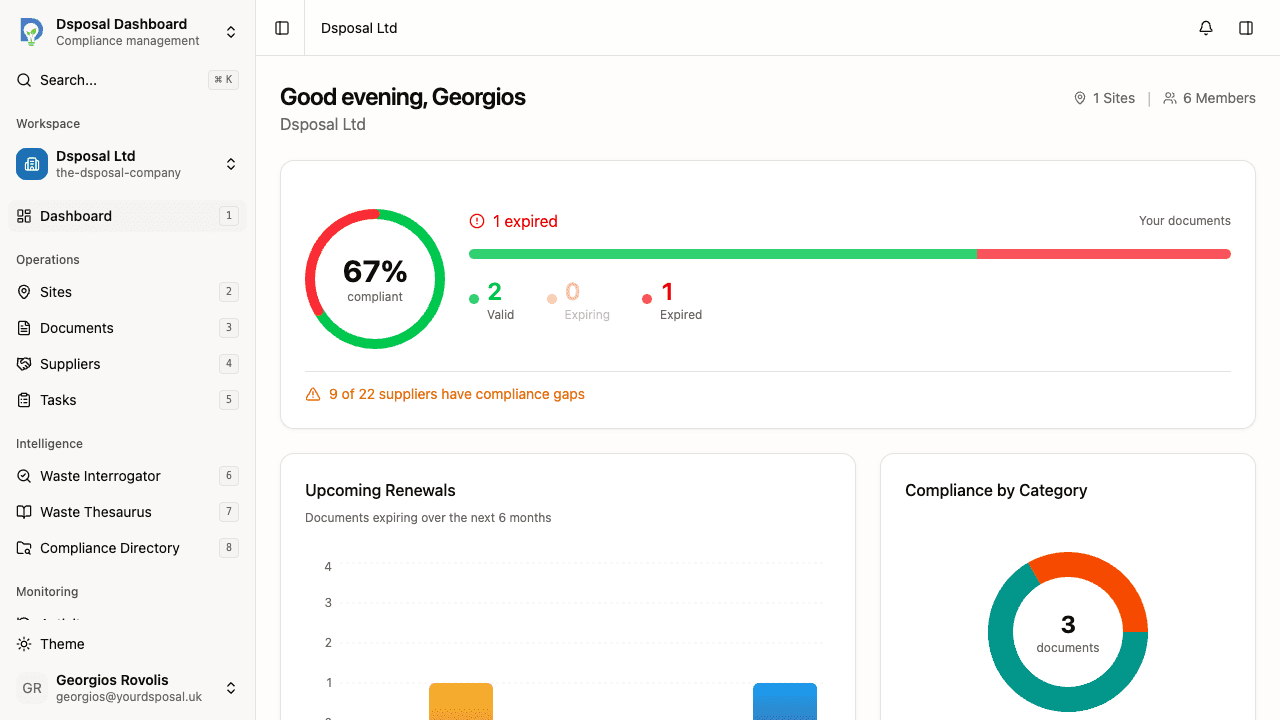
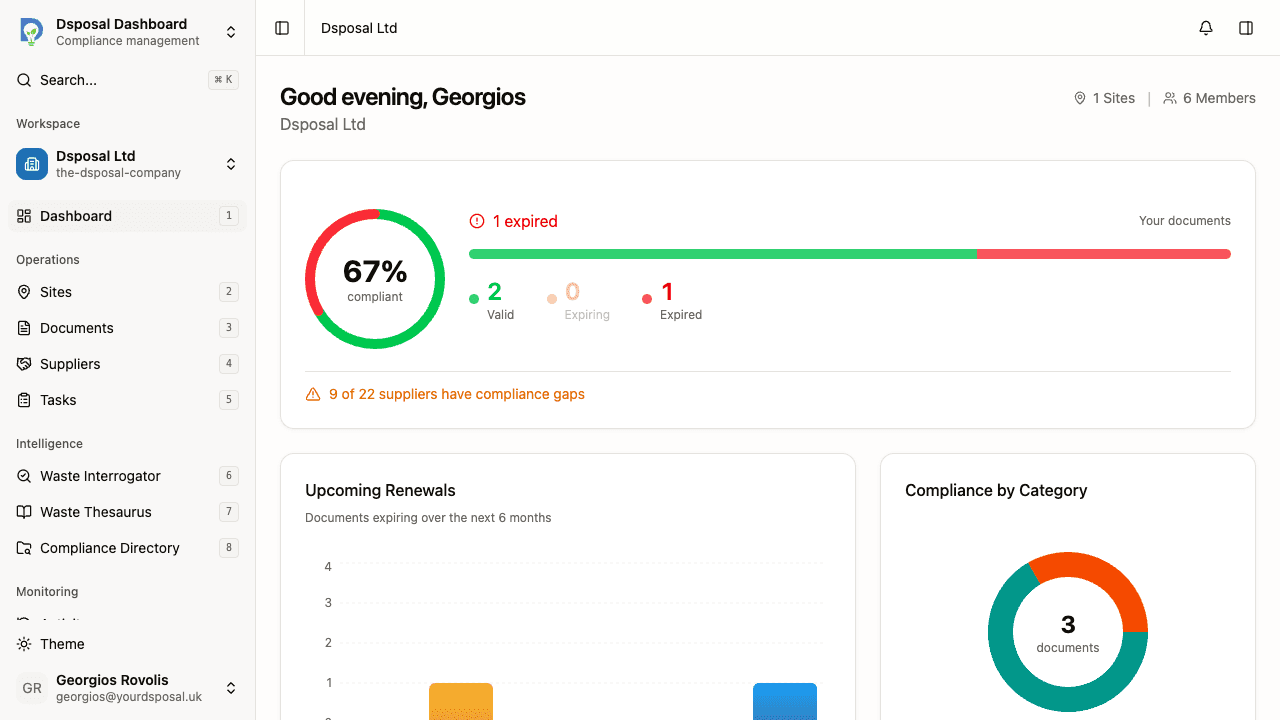
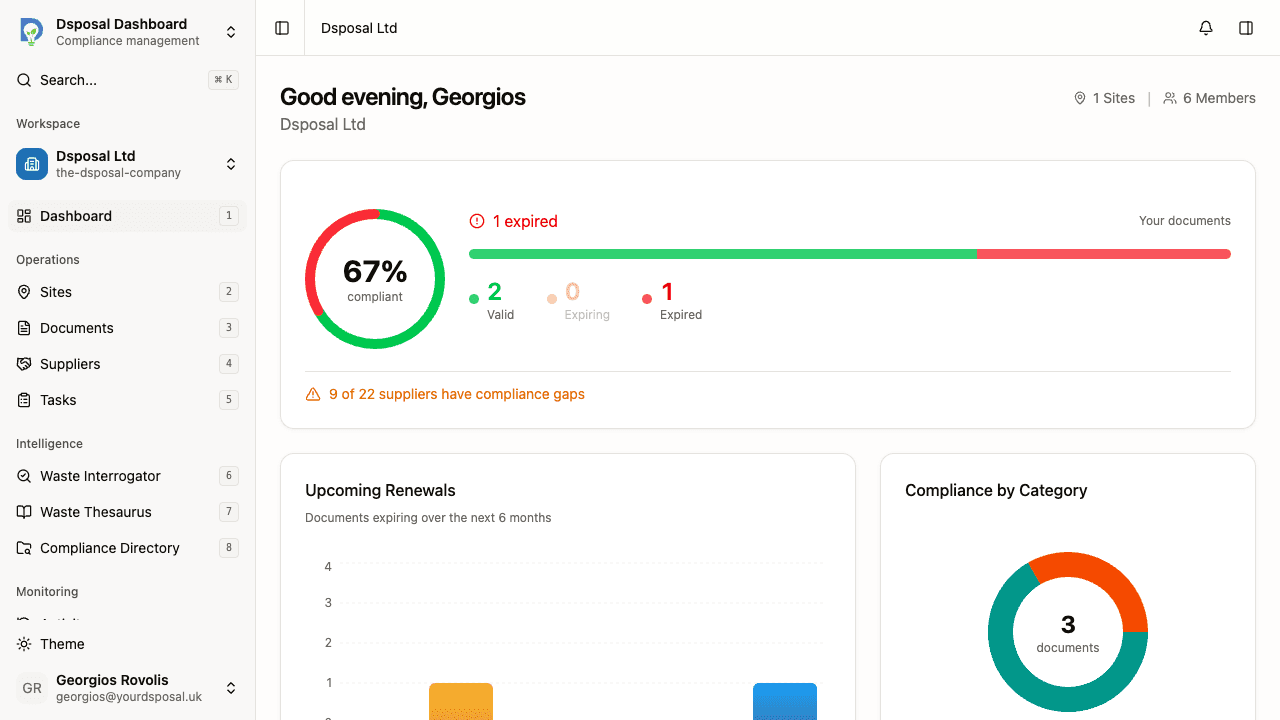
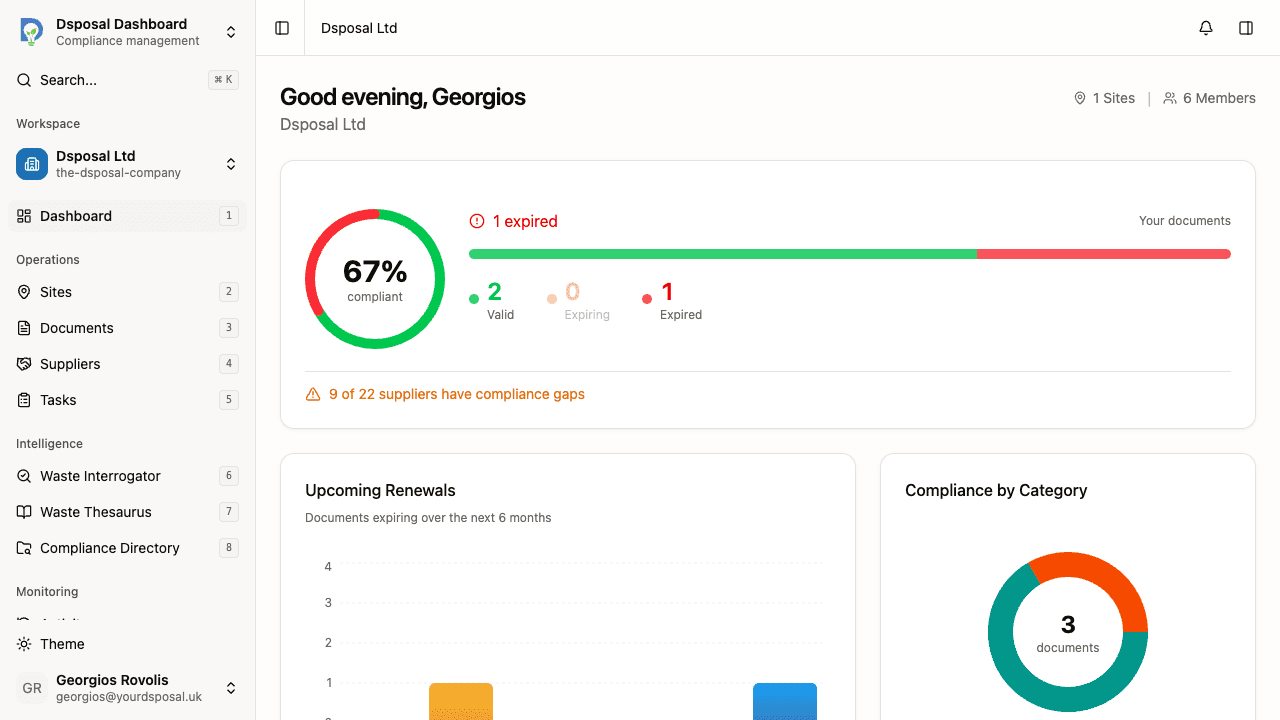
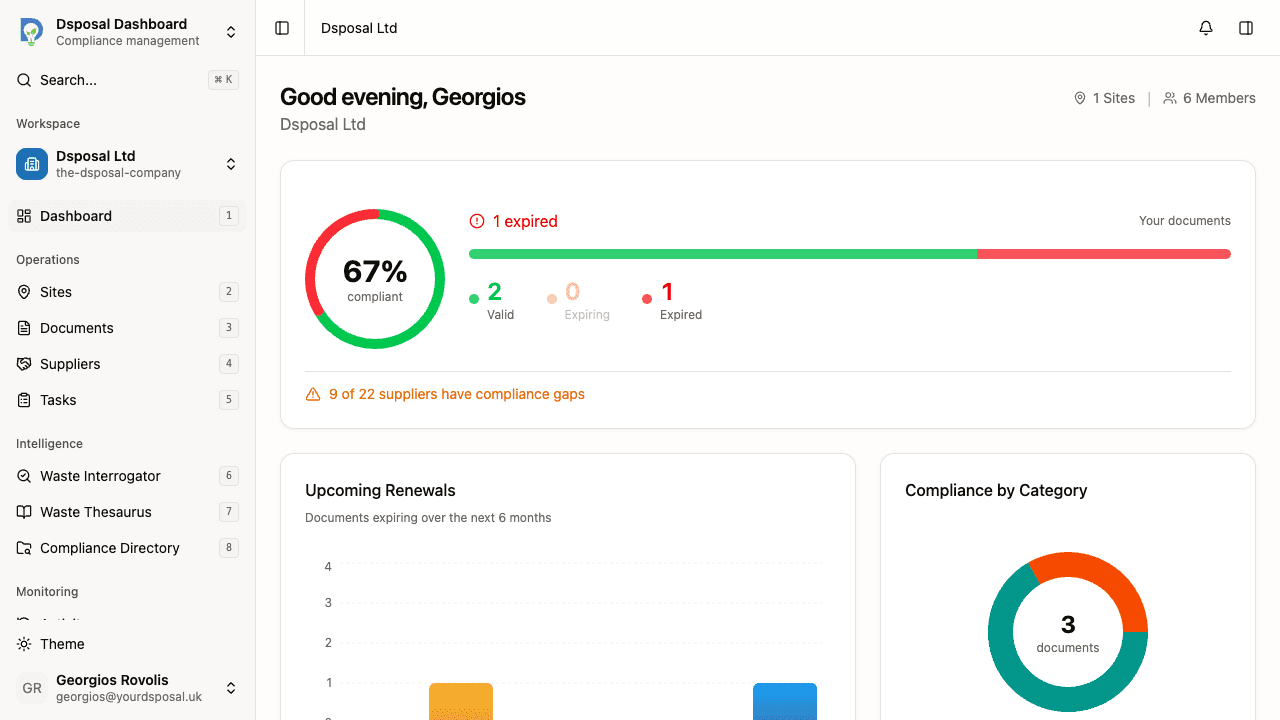
When you open the Dashboard, you'll see a welcome greeting with your name and your organisation's name. In the top-right corner, quick stats show the total number of Sites and Members in your organisation — click either to navigate to the full list.
Compliance posture bar
The compliance posture bar sits just below the welcome area and gives you an immediate visual summary of your document health.
On the left, a compliance score ring shows the overall compliance percentage. On the right, you'll see:
- A status message indicating whether all documents are valid, some are expiring soon, or some have expired
- A segmented bar showing the proportion of valid (green), expiring (amber), and expired (red) documents
- Stat blocks breaking down the exact counts for Valid, Expiring, and Expired documents
If any of your followed suppliers have compliance gaps, a supplier status line appears at the bottom of the posture bar, showing how many suppliers are at risk.
Expiry timeline chart
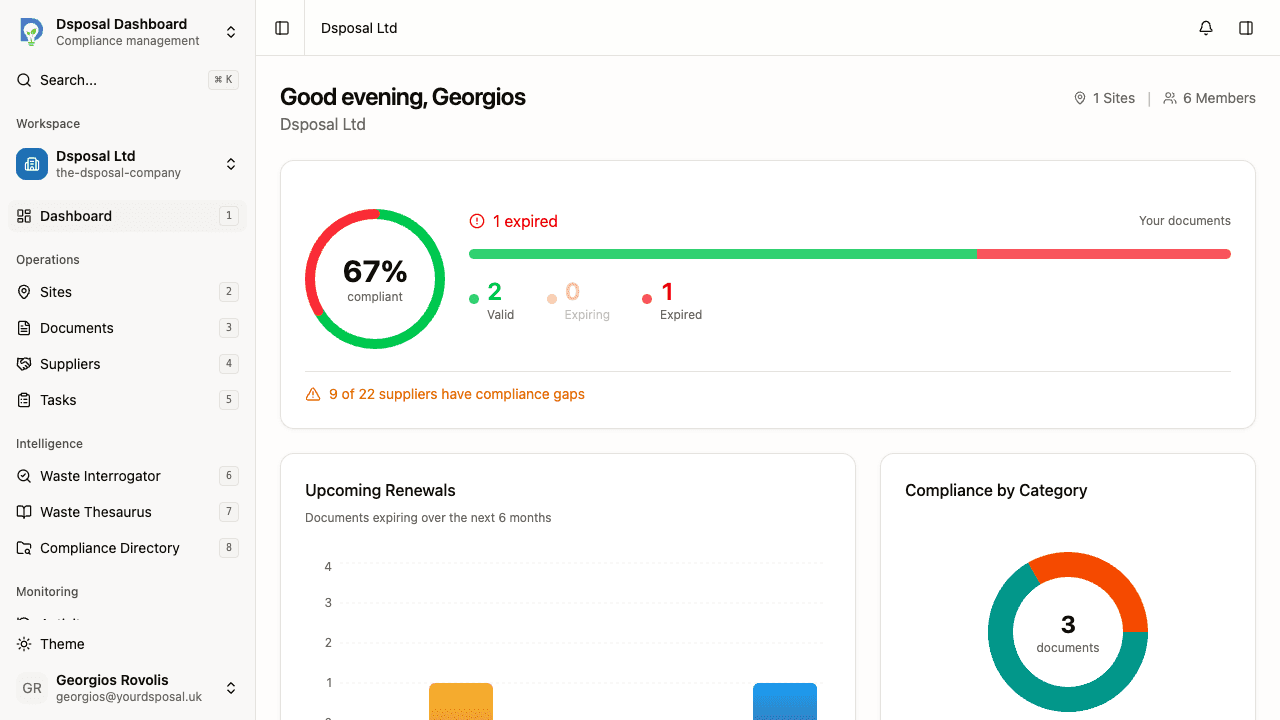
The expiry timeline chart shows a visual timeline of upcoming document expirations across the coming months. This helps you see when clusters of documents expire so you can plan renewals in advance.
Compliance by category
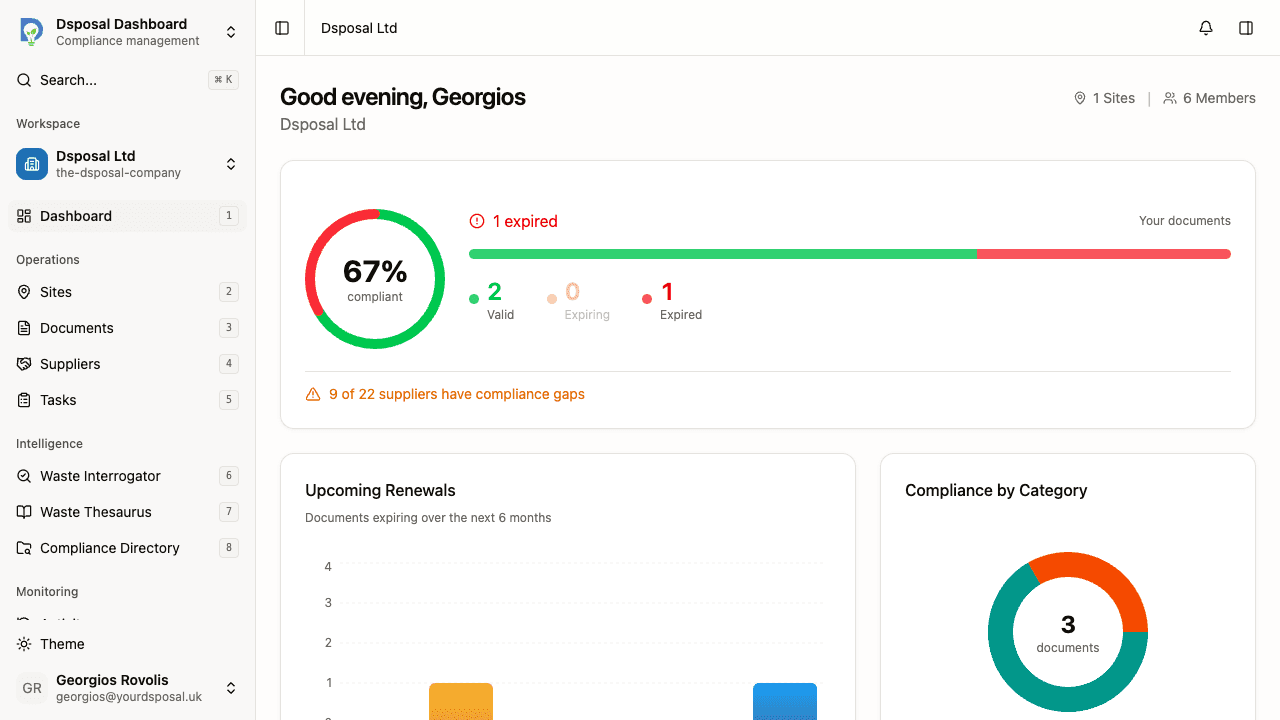
Next to the expiry timeline, the Compliance by Category card shows a donut chart breaking down your documents by type — Certificates, Insurance, and Registrations. Below the chart, a legend shows the count of valid, expiring, and expired documents for each category.
This helps you quickly identify which category needs the most attention. For example, if your certificates are all valid but several insurance policies are expiring soon, you can focus your renewal efforts accordingly.
Expiry horizon
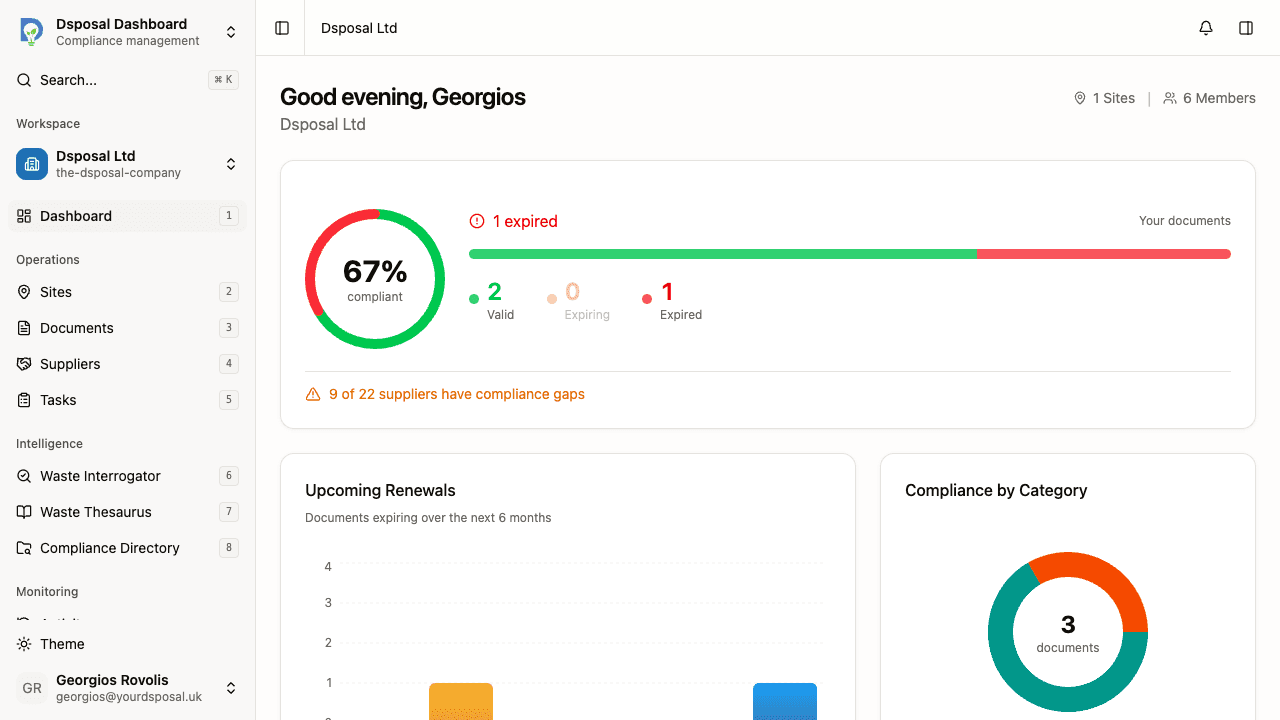
The Expiry Horizon widget groups documents by urgency level:
| Urgency | Colour | Meaning | |---|---|---| | Overdue | Red | Documents that have already expired | | Critical | Dark red | Documents expiring within 7 days | | Urgent | Amber | Documents expiring within 30 days | | Upcoming | Blue | Documents expiring within 90 days |
Each group can be expanded to show individual documents. Click on a document to navigate directly to its detail page for editing or review. Click View all to go to the full Documents page.
Supplier compliance card
The Supplier Compliance card shows the health of your supply chain at a glance:
- A health percentage showing how many of your followed suppliers are fully compliant
- A health bar visualising the ratio of compliant to at-risk suppliers
- A list of at-risk suppliers with badges showing the number of expired and expiring documents
If all suppliers are compliant, you'll see a green confirmation message. Click View all to navigate to the full Suppliers page.
Site coverage card
The Site Coverage card tracks how many of your documents are linked to sites:
- A coverage percentage showing what proportion of documents are linked to at least one site
- A progress bar visualising the coverage
- A status indicator showing whether all documents are linked or how many remain unlinked
Click View documents to navigate to the Documents page where you can link unlinked documents to the appropriate sites.
Recent activity feed
At the bottom of the dashboard, the Recent Activity card shows the last five activities in your organisation. Each entry shows who performed the action, what they did, and when.
Activities include things like creating or editing sites, uploading documents, adding members, and other changes. Click View all to see the full activity log with more entries.
What to do next
- Track document expiry to manage your document renewals
- Use the compliance directory to find waste management sites
- Monitor supplier compliance to keep your supply chain healthy
Keep moving
Next steps
Explore further