

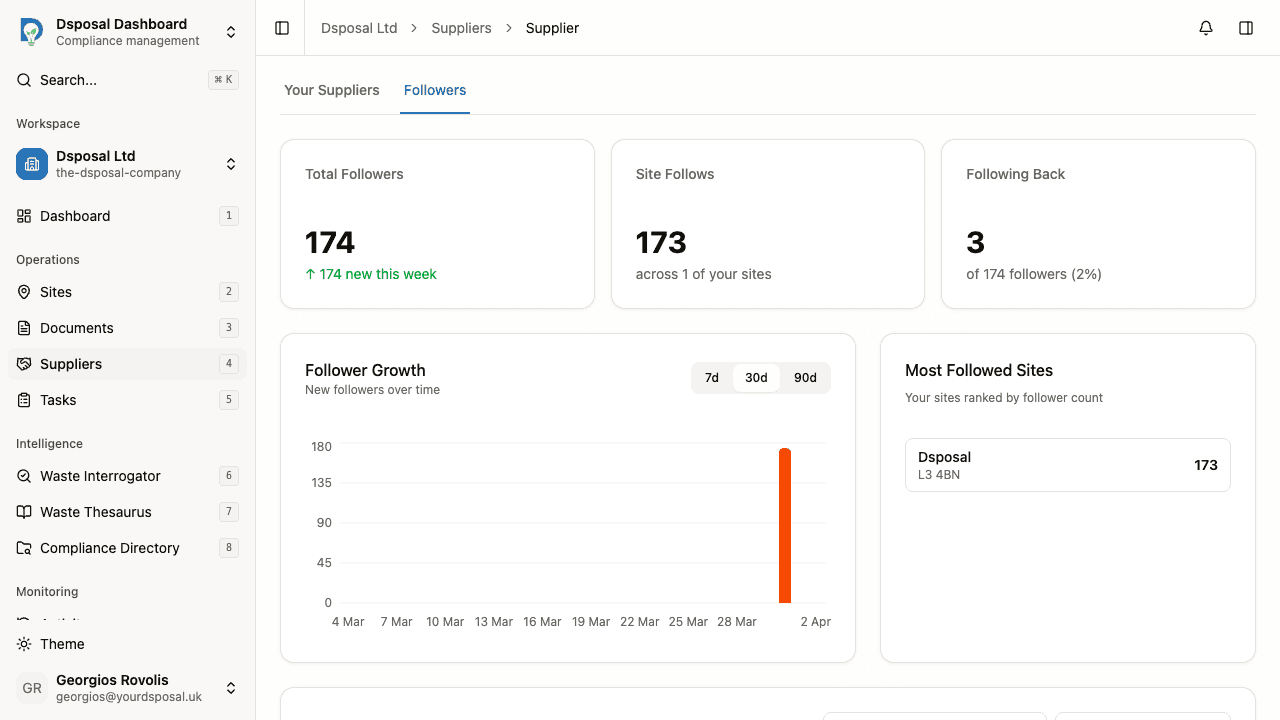
The Followers page shows you which organisations are tracking your sites and documents. This gives you visibility into who relies on your compliance data and how your follower base is growing over time.
Accessing the followers page
Navigate to Suppliers
In the Dashboard, click Suppliers in the sidebar.
Click the Followers tab
At the top of the Suppliers section, you will see a tab bar. Click Followers to switch from the supplier list to the followers view.
Understanding follower analytics
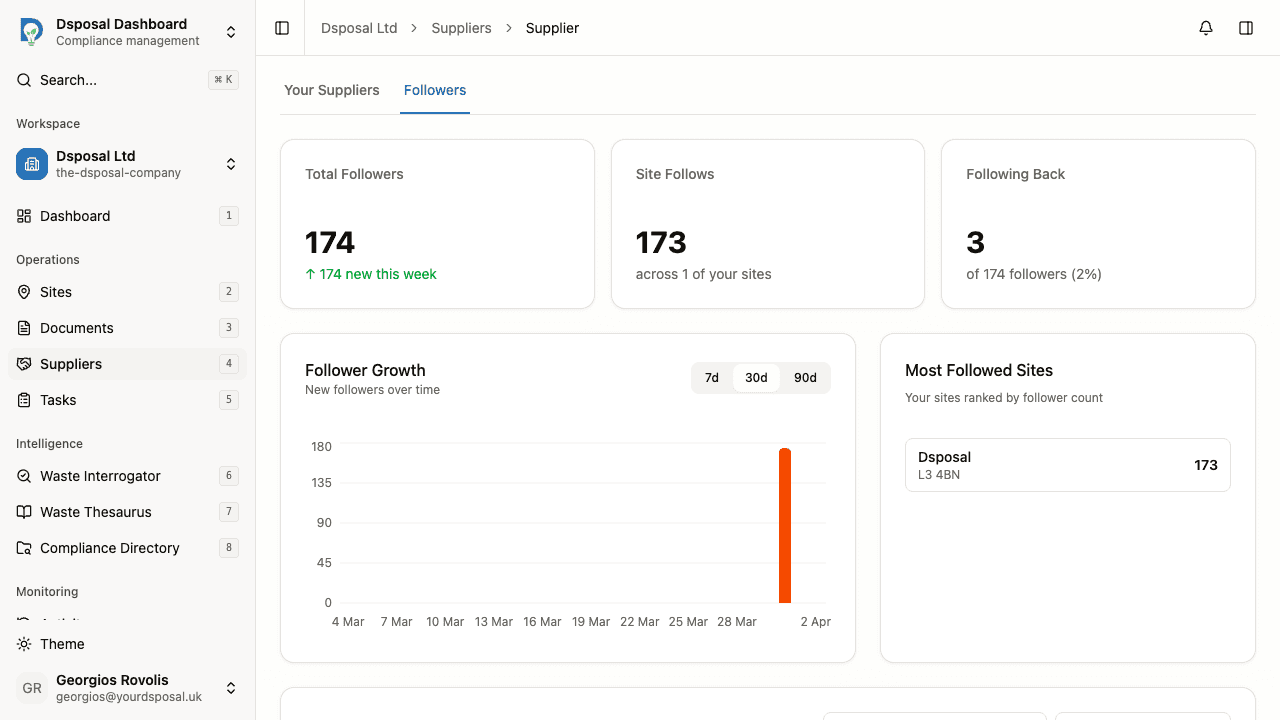
The followers page provides several analytics components to help you understand your follower activity.
Follower stats cards
At the top of the page, summary cards show key metrics about your followers:
- Total Followers — the total number of organisations currently following your sites
- Active Followers — organisations actively monitoring your compliance data
- Inactive Followers — organisations that have followed you but may not be actively checking
Follower trend chart
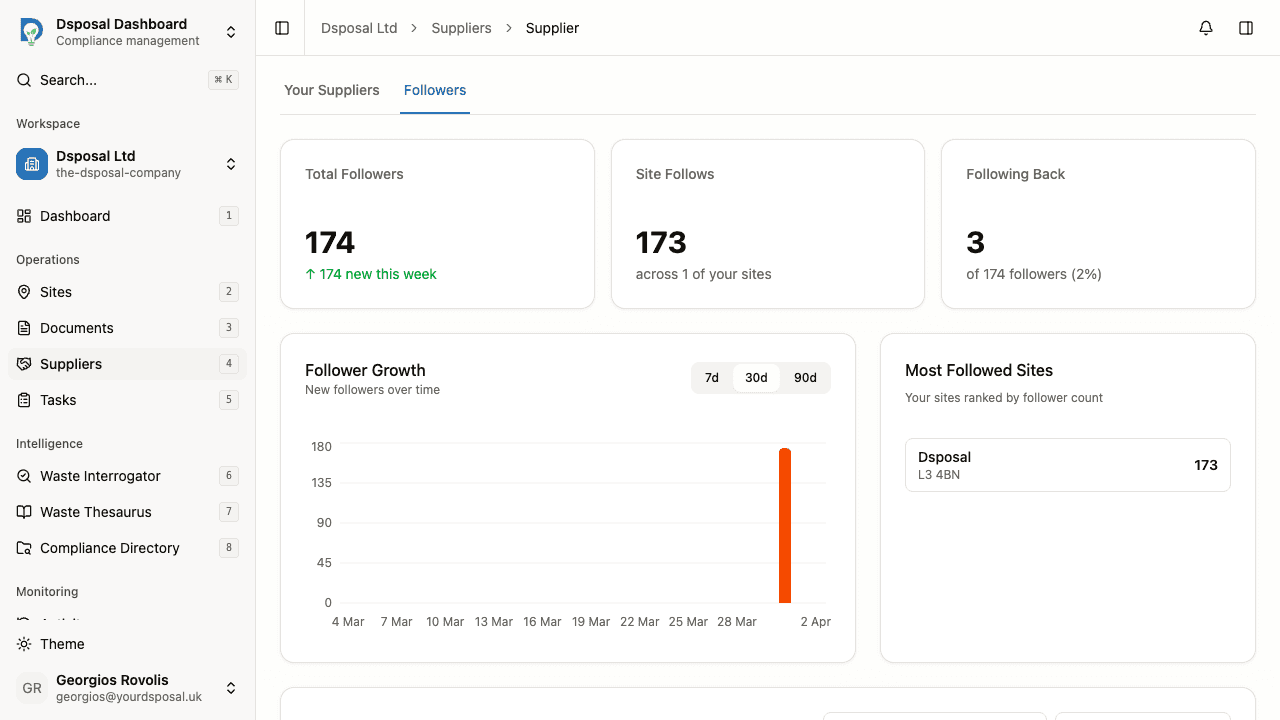
Below the stats cards, a trend chart shows how your follower count has changed over time. Use the time range selector to view different periods:
- 7 days — short-term trends
- 30 days — monthly overview (default)
- 90 days — quarterly view
Most followed sites
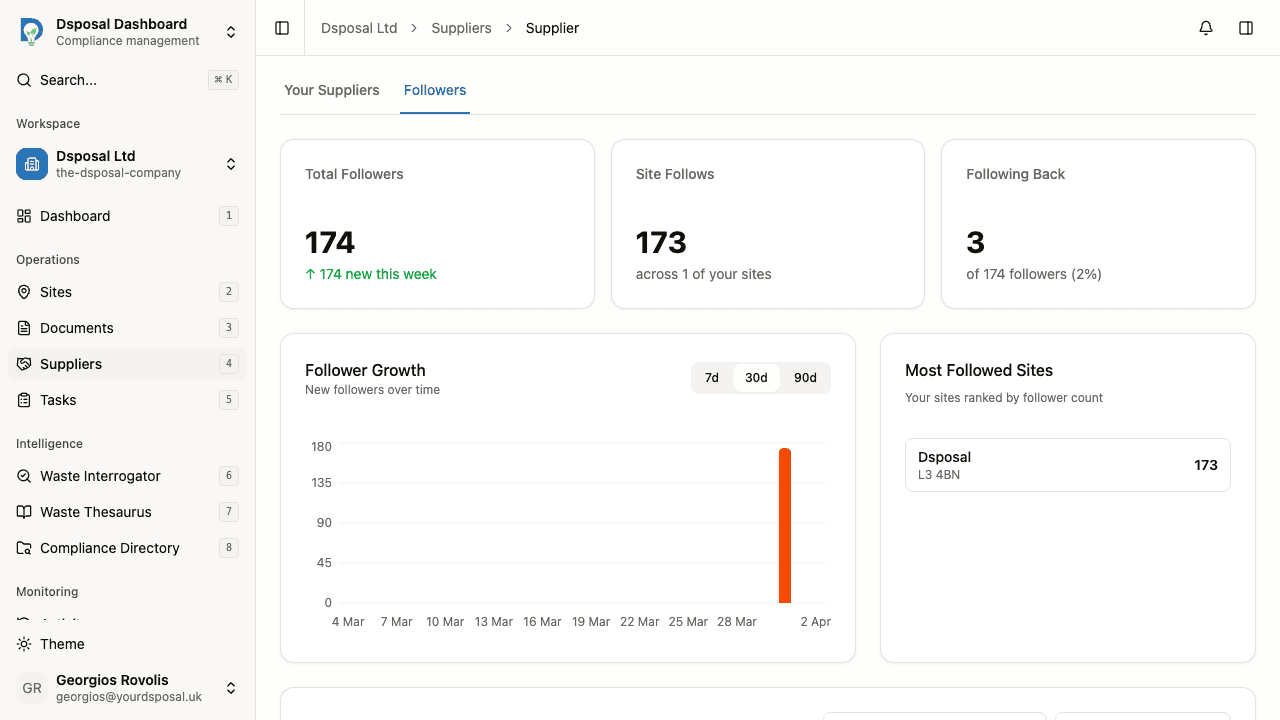
A card on the right side of the analytics section shows your top 5 most followed sites. This helps you understand which of your sites attract the most interest from other organisations.
Viewing your follower list
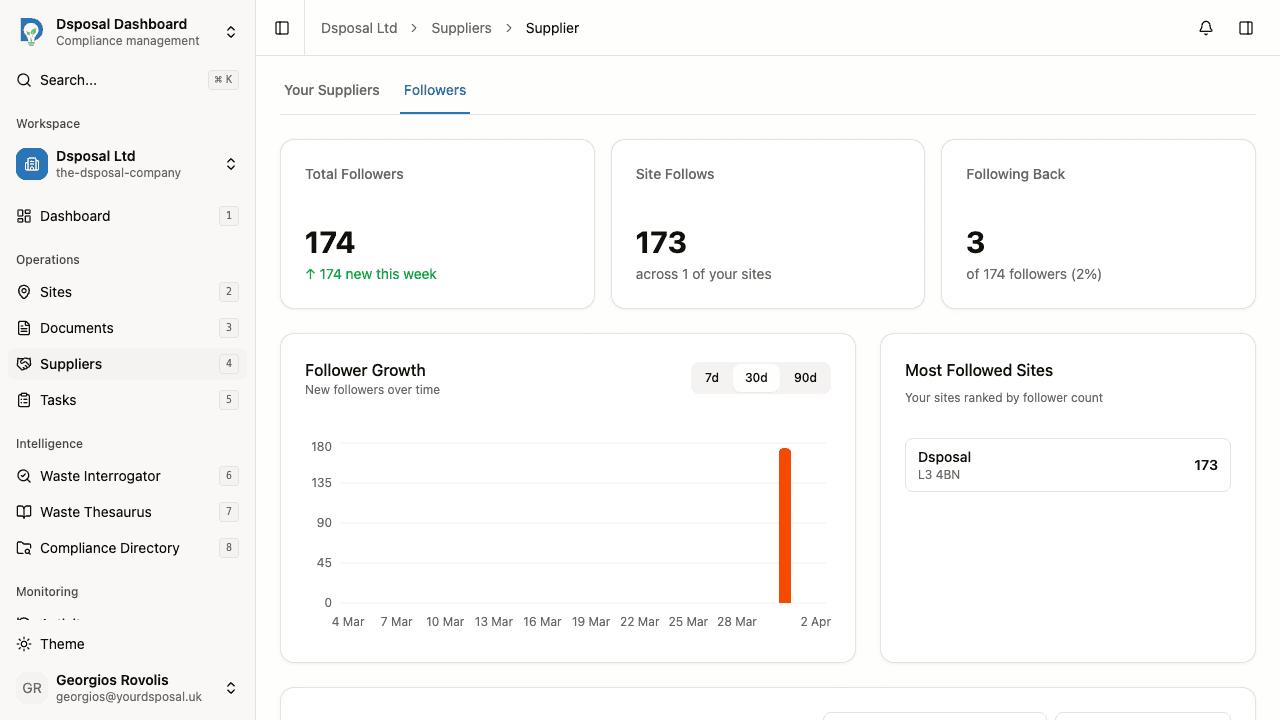
Below the analytics section, a full list of your followers is displayed in a table format.
Each row shows:
- Organisation name — the name of the organisation following you
- Compliance status — their current compliance health
- Date followed — when they started following your organisation
Searching followers
Use the search field to find a specific follower by organisation name.
Sorting
You can sort the follower list by:
- Newest — most recently added followers first
- Oldest — earliest followers first
Pagination
If you have many followers, use the pagination controls at the bottom of the list to navigate between pages.
What to do next
- Follow suppliers yourself to track your own supply chain
- View supplier details to explore an organisation's compliance data
Keep moving
Next steps
Explore further